


- SolveXL is compatible with Windows XP, Vista, 7 (32- & 64- bit), 8.1 (32- & 64- bit) and Microsoft Excel® 2003, 2007, 2010, and 2013 (32-bit only!)
- Download the latest version of SolveXL from this website
- Install SolveXL and launch Microsoft Excel®
- Under Excel 2003 click on the "About" button in SolveXL's toolbar

or under Excel 2007/2010/2013 go to the Add-Ins menu and then click on the "About" button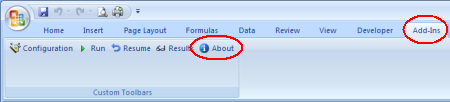
- Obtain your unique hardware identifier (e.g., $44DA3430)
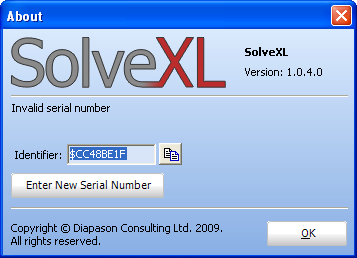
- Complete the on-line registration form
- Activate your copy of SolveXL by entering the serial number you received by email as shown below
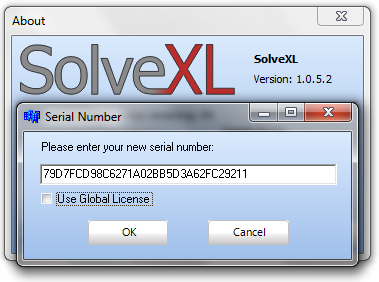
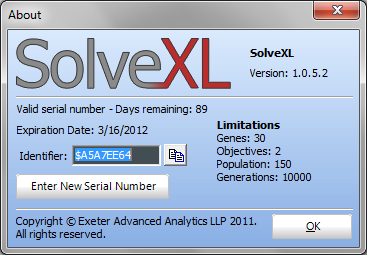
(Leave the "Use Global License" checkbox unticked unless instructed otherwise) - Information about the parameters of your license should be displayed in the About box
- In case you experience any problems during the activation of the software please contact the technical support: This e-mail address is being protected from spambots. You need JavaScript enabled to view it
Installation Instructions
Copyright © 2013 SolveXL.com. All Rights Reserved.

